Case 03
RoomScout
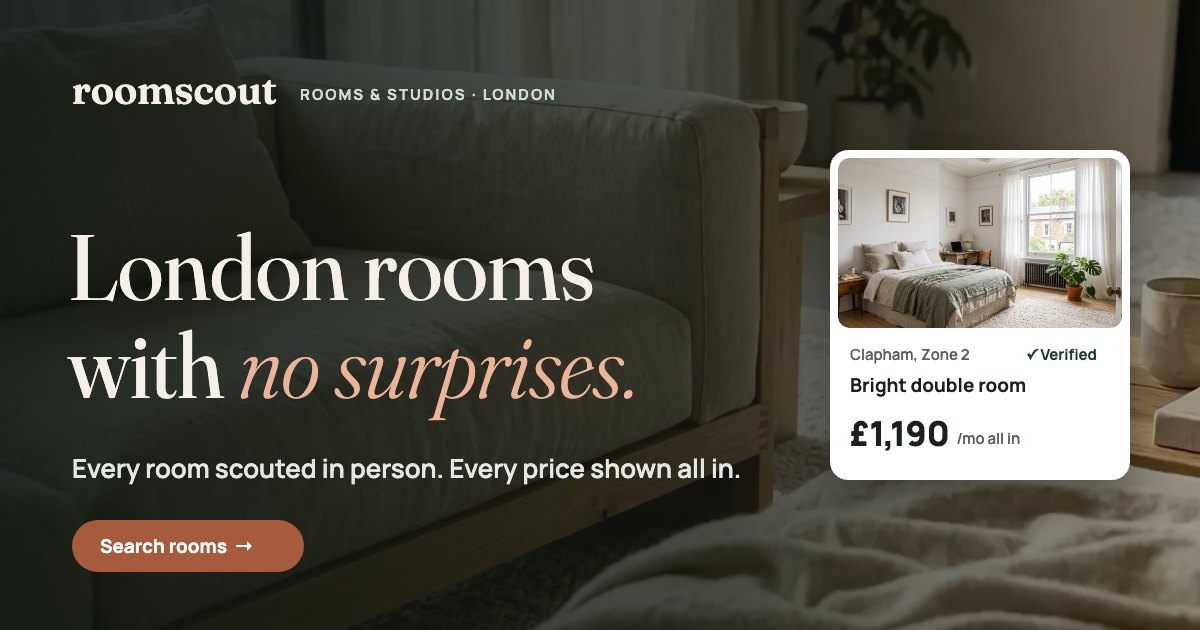
London rooms with no surprises. A rental concept where every room is checked in person and every price is shown all in.
Summary
Problem
Renting a room in London feels like a gamble. Listings show rent without bills, scams target young renters, and the best new rooms often sit behind a paywall.
Solution
A search-first rental site built on two promises: every room is checked in person, and every price includes rent, bills and council tax.
Outcome
A working responsive site with real search, filters and a viewing booking flow, live on Netlify and scoring 100 for Accessibility, Best Practices and SEO in PageSpeed.
Desk research
I started with the market and the main competitors: SpareRoom, OpenRent, Rightmove and Zoopla. This was desk research, so I treat the findings as hypotheses to test with real renters.
Average monthly rent for a room in London
SpareRoom Rental Index, Q2 2026Average loss per rental fraud report from people aged 11 to 29
Action Fraud, 2023Most rent a landlord can ask for upfront from May 2026
Renters' Rights Act 2025What I found
- Every leading site puts search on the first screen. So search had to come first here too.
- Prices usually show rent only. Bills and council tax appear later, or not at all.
- Large classified sites don't check every advertiser, and early access to new rooms can cost extra.
No one combined all three: rooms checked in person, all-in prices and free access to new listings. That gap became the idea for RoomScout.
Who it's for
Marta, 26
Works in marketing and moved to London 8 months ago. She once found a listing that turned out to be a scam, so she's afraid of losing a deposit, and she never knows what a room will really cost once bills are added.
The audience is young professionals aged 22 to 32. The page has one main job, find a room and book a viewing, and one second job, sign up for room alerts.
How it differs
RoomScout isn't trying to be the biggest catalogue. It aims to be the clearest. I turned that into a comparison table that sits right on the site.
| Typical listing site | RoomScout | |
|---|---|---|
| Who checked the room | Usually nobody | Our team, in person |
| Monthly price | Rent only, bills extra | All in: rent, bills, council tax |
| New rooms | Early access can be paid | Free for every renter |
| Booking a viewing | Messages back and forth | Pick a slot in two taps |
| Paying upfront | Varies by landlord | First month plus a deposit of no more than one month's rent |
Key decisions
Each decision comes back to the same two fears: "Is this room real?" and "What will I actually pay?"
The hero sets the tone first: a looping video of a quiet room, with the headline, the promise and the trust points appearing one by one as you scroll.
Search comes first
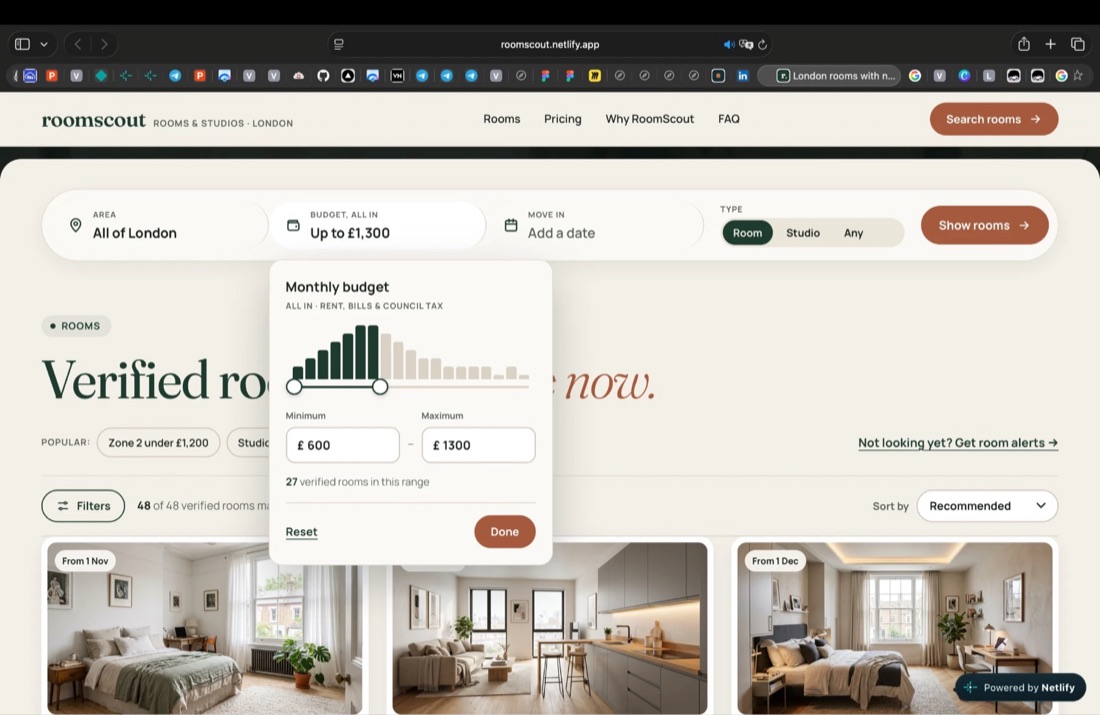
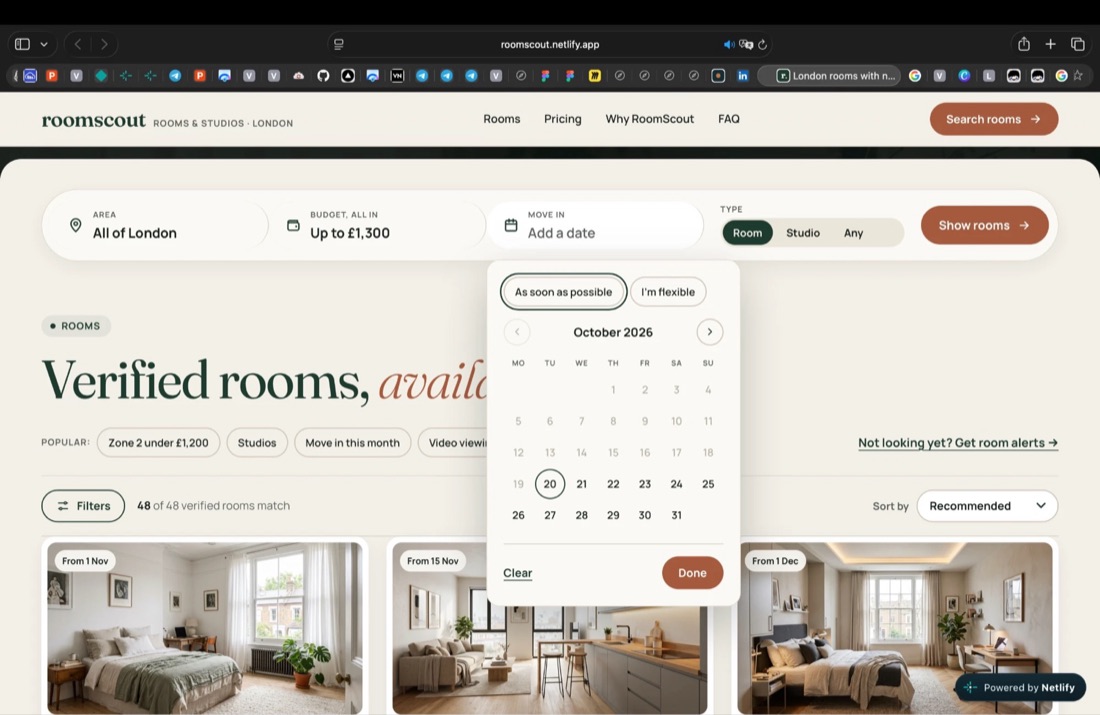
The search bar is the first block after the hero. Area works by zone, popular area or postcode. Budget is all in, with a histogram and a range slider that shows how many rooms fit. Move-in is a real calendar instead of a text field.
Prices with nothing hidden
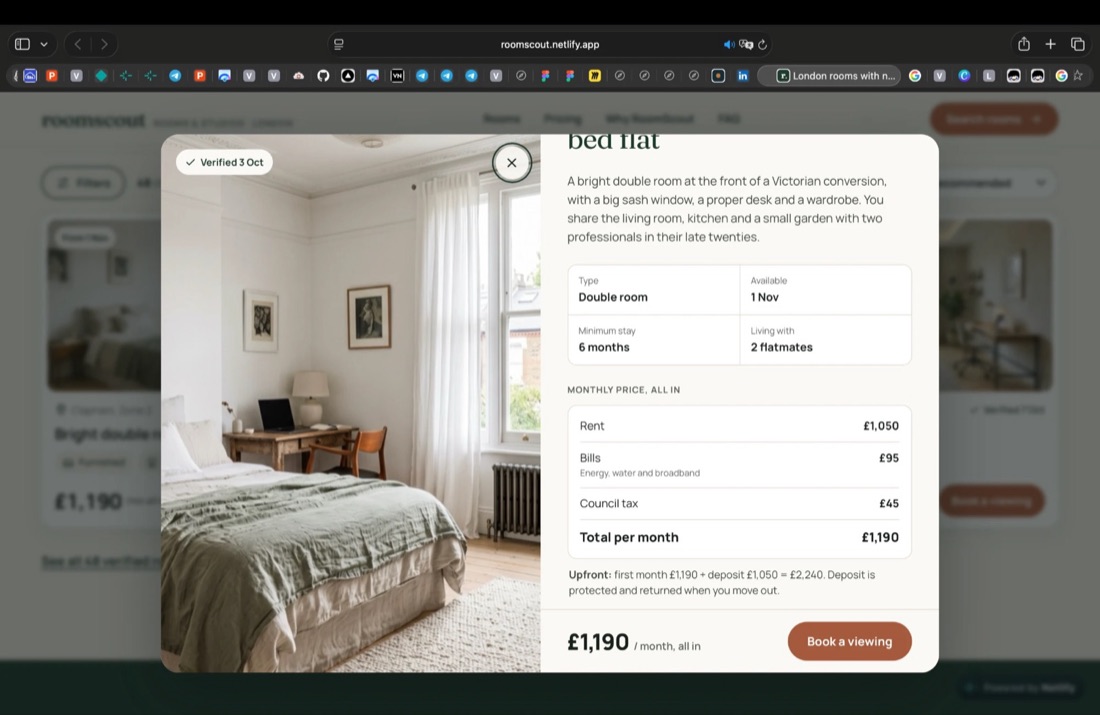
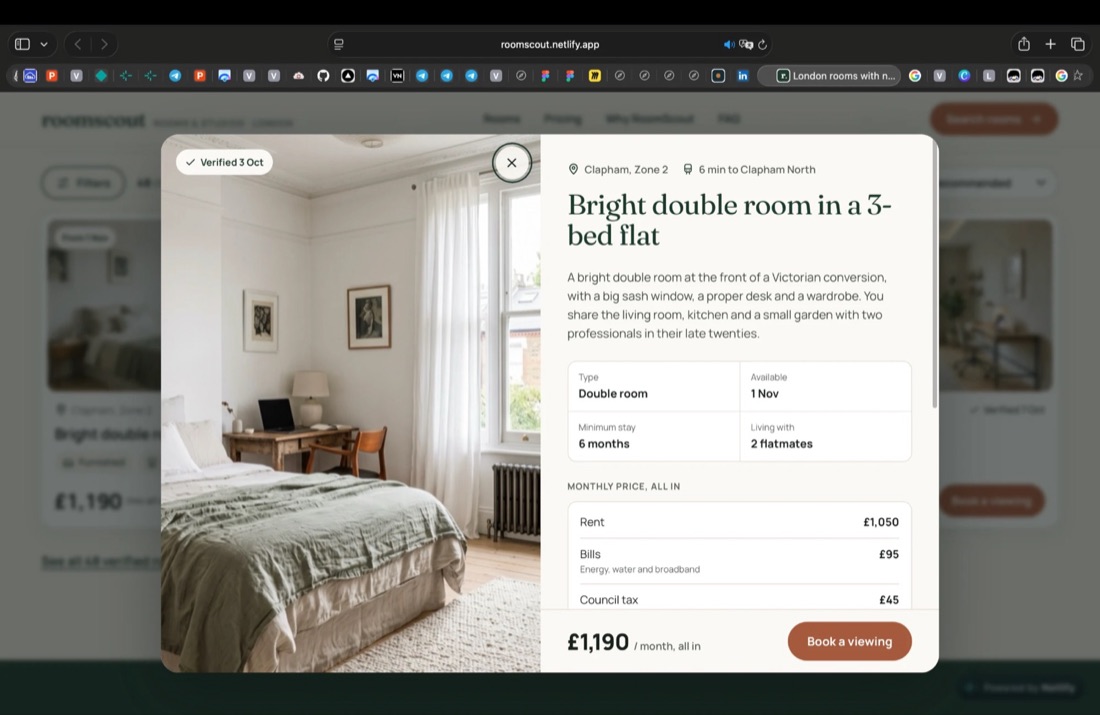
Every card shows the all-in price and the date the room was verified. Inside the room, the monthly price is broken into rent, bills and council tax, and the upfront cost is spelled out: first month plus a deposit of no more than one month's rent.
Viewing in two taps
A room opens in a pop-up with the photo, the verified date, the walk to the station and who you'd live with. The booking button stays pinned at the bottom, and booking is three steps in the same window, ending with "Add to calendar".
Filters people use
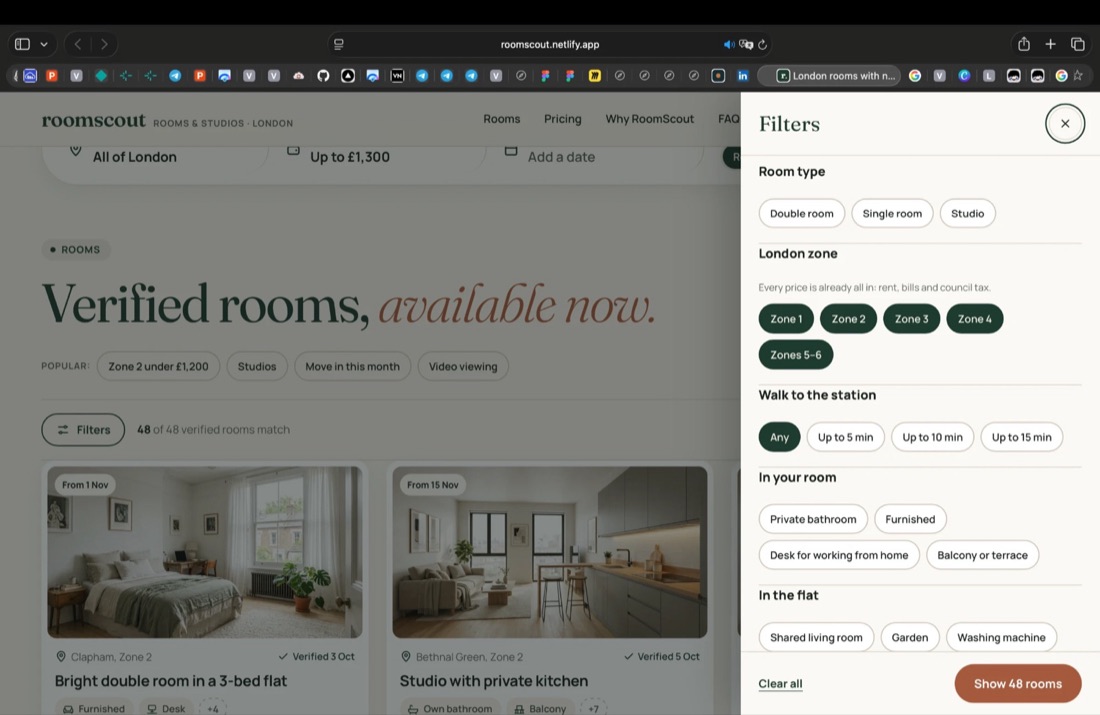
I based the filters on SpareRoom's advanced search and the features renters ask for most on Zoopla: garden, parking, balcony, pets. The button at the bottom counts matching rooms live, so nobody hits an empty page.
How it works, shown
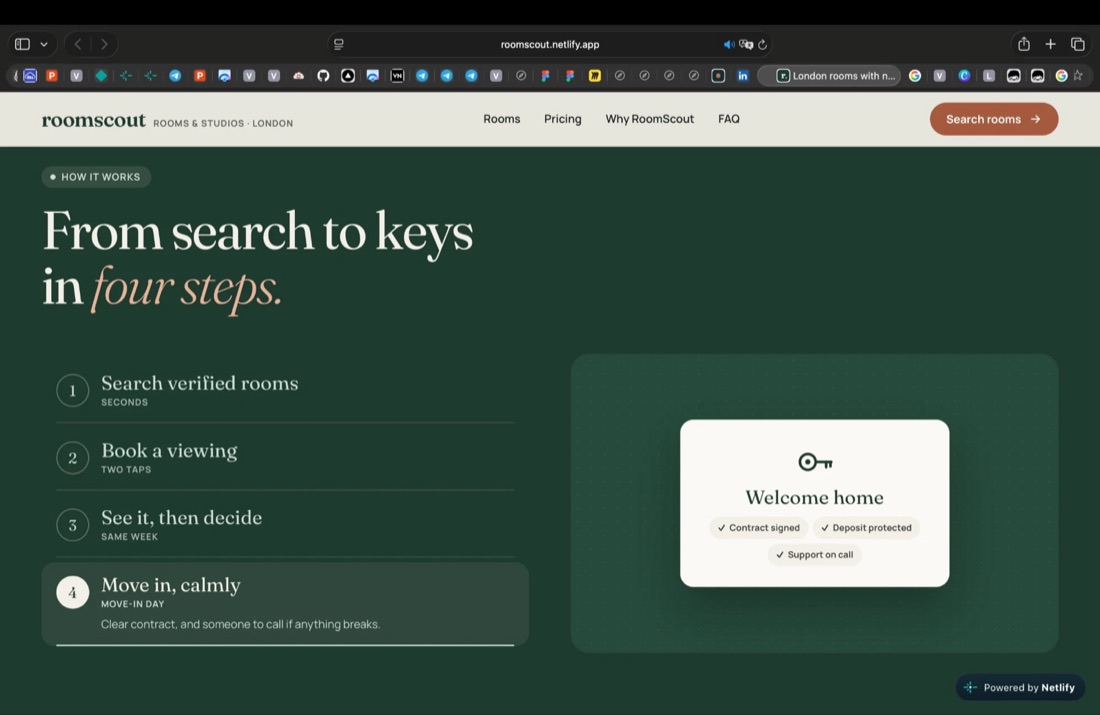
Four short steps, each paired with a small product screen that switches automatically. People see the process instead of reading a wall of text.
Alerts as a sentence
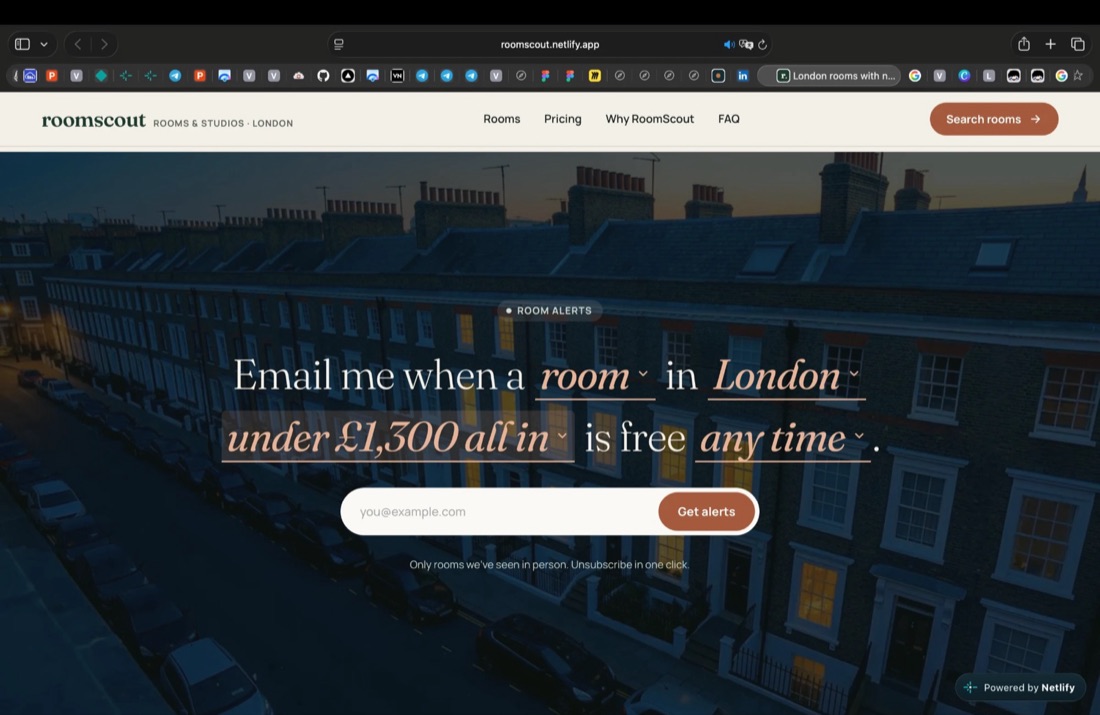
"Email me when a room in London under £1,300 all in is free any time." Each underlined word is a control, so setting up an alert reads like plain English. It picks up whatever the renter already chose in search.
Try it live
Search, filter, open a room and book a viewing right here. Nothing is sent, and all rooms and prices are illustrative.
What changed along the way
I explored several options for the key parts of the page and dropped the ones that got in the way.
Look & feel
Calm, warm and trustworthy, never luxury. Deep green stands for trust, warm off-white keeps it friendly, and clay marks actions. Photos are daylight, linen and light oak.
Fraunces for headings, Manrope for the interface, prices and buttons.
Built to work
Accessibility, Best Practices and SEO in PageSpeed
Sample rooms behind working search, filters and sorting
Deployed on Netlify, responsive from 375 px to desktop
I also tuned performance for phones: lighter images, video that loads after the page, and fonts that don't block the first screen. Everything can be used with a keyboard, and the page respects reduced motion.
What I learned
- Trust is built from small things: a verified date on a card, a price that doesn't change at checkout, a deposit rule written in plain words.
- Saying the same promise too often weakens it. I cut "pay only after the viewing" down to two places.
- Building the design for real showed problems a static mockup hides, like where a search bar should sit when the hero moves.
Next steps
- Usability test with 4 to 5 renters: can they tell what makes RoomScout different within 10 seconds, and find the full monthly cost without help?
- Design a full room page with a gallery, breakdown and viewing slots.
- Add saved rooms.
Concept projectRoomScout isn't a real company. Prices, reviews and contact details are illustrative, and photos and video are AI-generated.
Next case
DriveNow →